
Screenshots
App details
- Updated
- Jul 20, 2006
- Language
- English
- Developer
- Giletech
- Category
- Mobile
SoftPas in:
This product is also available in the following languages:
About Typing Test TQ
Download Typing Test TQ – typing test, speed, accuracy, performance metrics, words per minute, character per minute, real-time feedback, user-friendly interface, error analysis, typing skills, productivity tool, keyboard efficiency
Overview
Typing Test TQ is a specialized mobile application designed to assess and analyze users’ typing abilities with precision. Unlike educational typing tutors, this tool focuses exclusively on performance evaluation, offering detailed insights into typing speed, accuracy, and overall efficiency. Its primary purpose is to provide users with measurable data to understand their current typing capabilities and track improvements over time. The app is particularly useful for professionals, students, and anyone who relies heavily on keyboard input in their daily tasks.
By measuring key metrics such as words per minute (WPM), characters per minute (CPM), test duration, and error rates, Typing Test TQ delivers a comprehensive view of typing performance. This makes it an effective benchmarking tool for job seekers preparing for typing assessments, remote workers optimizing workflow efficiency, or individuals aiming to improve their digital productivity. The app’s real-time feedback mechanism allows users to adjust their typing habits during the test, enhancing the learning potential of each session.
Developed by Typing Test TQ, the application has been available since 2006, indicating a long-standing presence in the productivity space. While specific developer background details are not provided, the app’s longevity suggests consistent functionality and user relevance. It remains a niche yet valuable utility in the mobile ecosystem, offering a focused solution for users seeking objective typing evaluations without the distractions of gamified learning or complex tutorials.
Key Features & Functionality
- Detailed Performance Metrics: The app records and displays test duration, total characters typed, keystrokes, and number of errors. This granular data helps users identify patterns in their typing behavior, such as frequent mistakes in specific keys or slowdowns during longer passages.
- Speed Measurements: Typing Test TQ calculates gross speed (total characters typed per minute), net speed (adjusted for errors), and both words per minute and characters per minute. These metrics allow users to differentiate between raw speed and accurate typing, which is crucial for real-world applications.
- User-Friendly Interface: The app features a clean, minimal layout that prioritizes usability. Users can initiate a test with minimal interaction, making it accessible to individuals with varying levels of technical proficiency.
- Real-Time Feedback: As users type, the app provides immediate visual and textual feedback on accuracy and speed. This dynamic response enables users to self-correct during the test, improving the reliability of the final results.
- Accuracy Insights: The app performs in-depth error analysis, highlighting common mistakes such as typos, missed keys, or double-taps. This feature supports targeted improvement by drawing attention to recurring issues in typing technique.
For example, a user preparing for a data entry job can use the app to simulate real-time typing scenarios and receive objective feedback on their performance. Similarly, a student writing long documents can use the tool to monitor their typing consistency and identify areas for improvement.
Interface, UX & Performance
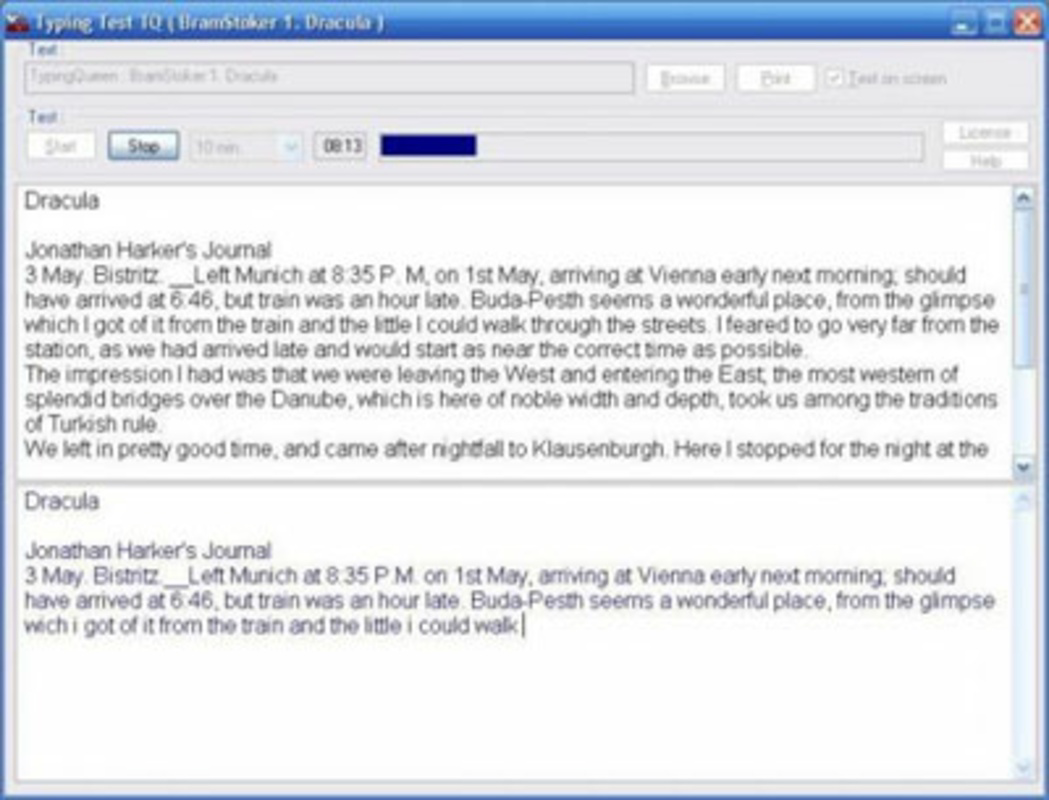
Typing Test TQ features a streamlined user interface centered around simplicity and clarity. The main screen presents a clear text passage to type, with a status bar displaying real-time progress, including time elapsed, words typed, and error count. Navigation is intuitive, with minimal on-screen elements to avoid distraction.
The visual style is functional rather than decorative, emphasizing readability and performance tracking. Text input is responsive, and the keyboard integration is seamless across various Android devices. Although the developer did not list formal performance metrics, the app’s lightweight design—12.3 MB in size—suggests efficient resource usage, likely ensuring smooth operation on mid-range and older Android devices.
Responsiveness appears to be well-optimized, with minimal lag during typing sessions. Stability is maintained through a focused feature set, reducing the likelihood of crashes or unexpected behavior. The app runs efficiently in the background and does not consume excessive battery or memory, which is essential for users conducting multiple tests over time.
Platform Compatibility & Technical Requirements
Typing Test TQ is available exclusively on the Android platform. The current version is 1.1.3, with a file size of 12.3 MB. This compact footprint indicates a lightweight application designed for efficient operation on a wide range of Android devices.
The developer did not specify minimum OS requirements or compatibility details for specific Android versions. As such, users should ensure their device meets general Android system standards for running third-party applications. Compatibility with newer or older Android versions cannot be confirmed without additional technical information from the developer.
Pros and Cons
Pros
- Provides accurate, real-time feedback on typing speed and accuracy
- Offers detailed performance metrics for in-depth analysis
- Simple, user-friendly interface suitable for all skill levels
- Lightweight design with minimal storage footprint
- Free to download and use with no in-app purchases
Cons
- Developer did not provide detailed system requirements or compatibility information
- No visible update history or changelog for version 1.1.3
- Limited to Android platform; no iOS or other OS availability mentioned
- Interface lacks customization options for text difficulty or test duration
- No cloud sync or progress tracking across devices
FAQ
Is Typing Test TQ safe to download and install?
Yes, the app is available as a free download on Android and does not require special permissions beyond standard keyboard access. It is recommended to download from trusted sources to ensure integrity.
Can I use Typing Test TQ on iOS devices?
The developer has not indicated any iOS availability. The app is currently confirmed for Android only.
Does Typing Test TQ require an internet connection?
Based on available information, the app operates offline. No internet connection is needed to conduct a typing test or view results.
How often should I use Typing Test TQ to see improvement?
Regular use—such as once or twice a week—can help track progress over time. Consistent testing allows users to identify patterns and measure incremental improvements in speed and accuracy.
Is my typing data stored locally or shared with third parties?
The developer did not disclose data handling practices. However, since the app functions offline and no cloud features are present, it is likely that data is stored only on the device.
Final Thoughts
Typing Test TQ stands out as a focused, no-frills tool for users who want to objectively measure their typing skills. Its strength lies in delivering precise performance metrics without the distractions of gamification or instructional content. The real-time feedback and detailed error analysis offer actionable insights, making it a valuable asset for professionals and students alike.
While the app lacks modern features like cross-device sync or customizable test settings, its lightweight design and free availability make it accessible to a broad audience. For those seeking a reliable, straightforward typing assessment tool, Typing Test TQ remains a practical choice in the Android productivity landscape.
Download Typing Test TQ now
Guides & Tutorials
How to install Typing Test TQ
- Click the Download button above.
- Once redirected, accept the terms and click Install.
- Wait for the Typing Test TQ download to finish on your device.
How to use Typing Test TQ
This software is primarily used for its core features described above. Open the app after installation to explore its capabilities.
User Reviews
No reviews yet. Be the first to share your experience.
You may also like
more
Que no te pillen¡
About !Que no te pillen¡Reviewed by Jason A. BilbreyShow MoreShow Less

3D Combat Zone
About 3D Combat ZoneOriginally released in 1983, 3D Combat Zone immerses players...

666: El día del portal
About 666: El día del portalOn June 6, 2006, Agent P. Stone uncovers a sinister...

80 in 1 Best Flash games
About 80 in 1 Best Flash games 80 in 1 Best Flash games is a collection of 80 fl...

ABYSS SEEKERーーWhat Do You See Deep in The Abyss
About ABYSS SEEKERーーWhat Do You See Deep in The AbyssIn ABYSS SEEKER, players...

ACA NEOGEO THE KING OF FIGHTERS 2002 for Windows
About ACA NEOGEO THE KING OF FIGHTERS 2002 for WindowsTHE KING OF FIGHTERS 2002,...